
ZoMate: When UI is UX
Inheriting off-shore designs for refinement, which, spoiler alert: turns into an overhaul.
Sneak Peek


Background
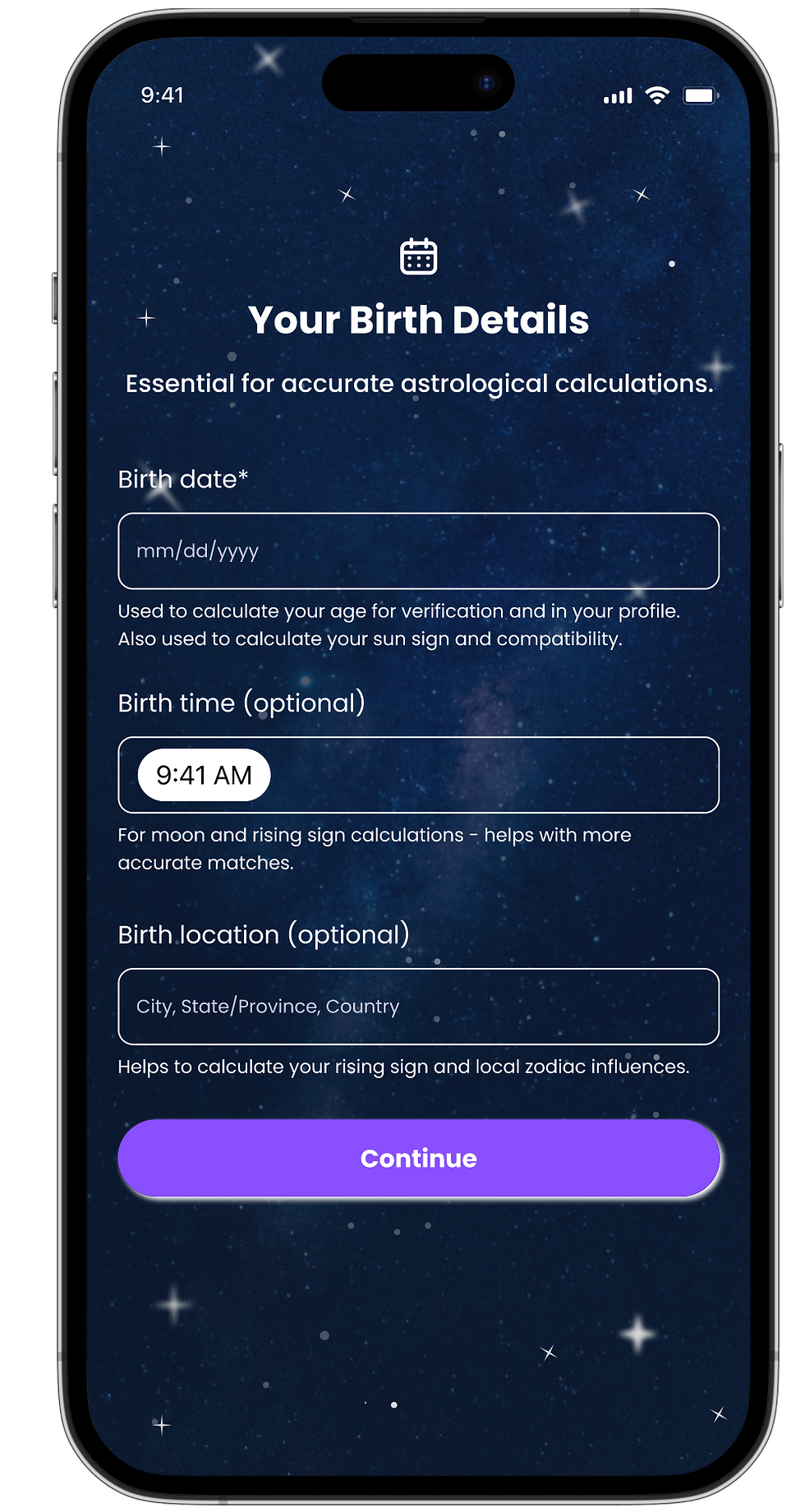
"Everything feels just a bit... off." Daniel explains. He's the founder of ZoMate, an astrological dating app. "I've been working with an offshore team, and the communication is tough and their work doesn't seem to hit the mark." As part of the interview process, he asks me to spend 15 minutes in the Figma file and compile a list of things I would fix. I spend 90 and return a seven-page document outlining areas I would improve. A few days later, I hear back from him, and the job is mine. My Figma access is upgraded from view to edit, and I inherit 50 mobile screens.
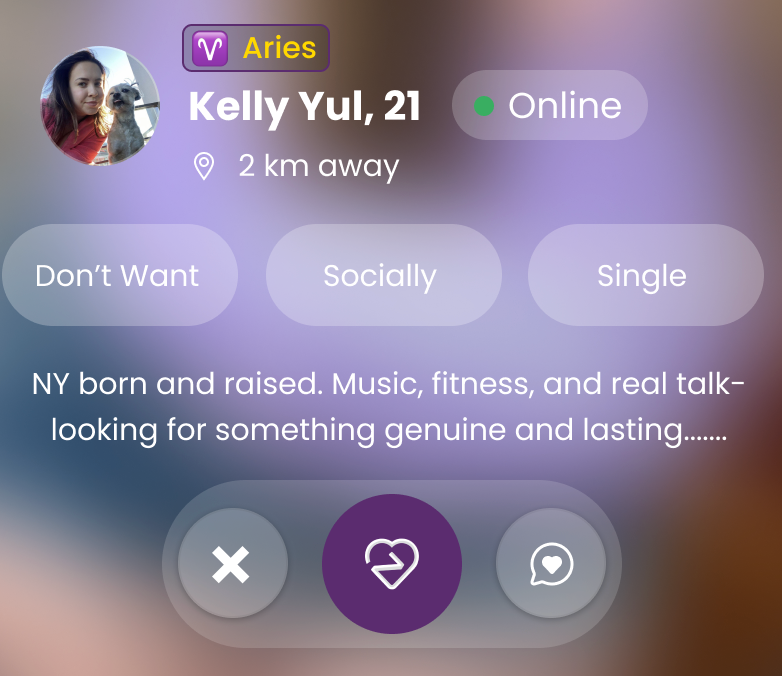
I'll get more into my more organized analysis next, but let's start with just one section on one screen. Here are the kinds of things I'm thinking and questioning (from top to bottom):
-
Why is the Aries badge outlined when all the other badges aren't? Why is the corner rounding different?
-
Surely we aren't sharing last names... right?
-
Is something off with the spacing and font sizing in that top third that makes me tilt my head? Why does nothing feel like it's lining up?
-
Why are the distance units in kilometers? Why is the text so far away from its icon?
-
The middle badges are a great mystery. I don't want to be socially single? I suppose I can extrapolate that 'Don't Want' applies to having children. Socially could refer to drinking, or smoking, or karaoking. And single? I sure hope so if you're on a dating app.
-
More problematic: in tying this back to how a user builds their profile, none of this information was being collected.
-
The bio lines get cut off, but how does a user read the rest? This is a mobile app, so the concept of hovering doesn't apply.
-
Overall, I have some readability/accessibility concerns with the white font over the blurred background.
-
The bottom navigational buttons: does the X close the profile or reject the match? The middle icon is the logo - are we sending a like? Sending a love note? Saving a favorite? Oh wait, the third icon looks like a message. Should someone be able to message a user before they match?
I repeat: 50 screens of things with the so-called Dribbble effect: they might look great from afar, but diving in, the functionality and user experience are clearly lacking. No wonder Daniel sensed that everything felt a bit off.
Analysis
Here's how I bucketed the UI and UX issues:
General Figma Woes
-
Lack of naming: frames, layers, elements - lack of communication and clarity from the designer to the design consumer.
-
No use of components: there was plenty of opportunity for design and build efficiency.
-
Manual layout: auto-layout wasn't being used to create buttons, align text and icons, or build blocks where it would make sense.
Workflow Woes
-
The profile creation flow was cumbersome, collected info in an erratic order, had three screens to collect gender identity, and was a mix of information about the user as well as information about the people they'd be interested in.
-
There were missing designs for a lot of scenarios (i.e. a premium user versus a non-premium user).
-
Navigation wasn't clear, from button confusion to overall flow. (i.e. There was a filters screen but no way to get to it.)
General Design Woes
-
There were three different profile views, none of which tied back to how a user viewed another user's profile - it felt like three different designers were at the table.
-
The color palette was challenging, creating visual dissonance.
-
There were many places where text didn't have enough contrast against the background to be readable.
-
Though the standard mobile 16px margin with four column grid was in-place, nothing aligned to it, so everything felt a little askew.
Data Disparities
-
The placeholder data was distracting, such as showing filtering height by miles and age by inches.
-
There was no correlation of data collected versus data displayed versus filterable data.


Design
Here are the problems I solved in the process of this redesign:
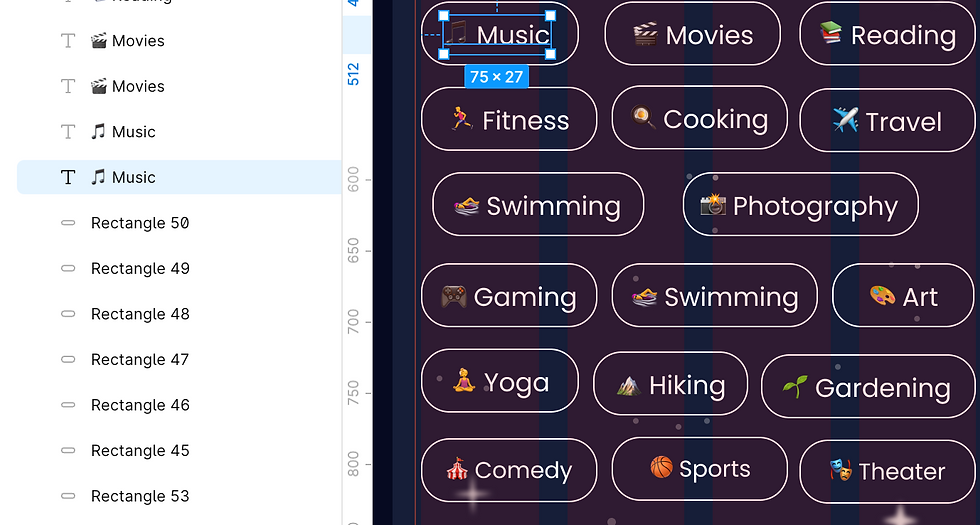
1. Created clear workflows: creating an account, building your profile, matching with other users, interacting with the AI dating coach, and distinguishing between the premium and non-premium user experience.
2. Data consolidation: I analyzed all of the data points about users and made sure that only data truly needed was collected, and then tied this back to profile editing, filtering preferences, and viewing another user's profile. Oh, and I also made sure to use appropriate sample text.
3. Developed a style guide: I simplified and improved upon the color palette, aligned to one font, and ensured that text would always be legible against any background.
4. Built a design system: from components, to variables and text styles, to naming Figma elements, to naming each frame, downstream consumers of the design should be able to pick it up and run with it.
5. Wired up prototyping: this allowed my client (and his stakeholders) to truly see how everything connects, bringing the designs to life.
Here's a final sample of the matching workflow: being presented with a potential match, learning more about them, and then swiping right to create a match. Here's a link to all of the flows prototyped - may the zodiac odds ever be in your favor!
It's Live!
The app launched in the app store in April of 2026. You can download it here. It's one thing to bring things alive in Figma, but it's quite another to see them as a finished product.
Client Feedback
From Daniel:
"Mary was an absolute pleasure to work with. Her creativity and sense of ownership throughout the project were truly exceptional. She had a strong ability to take even the smallest ideas and turn them into thoughtful, functional features that elevated the overall user experience. What stood out most was how she handled feedback. Every suggestion was met with clarity, intention, and quick turnaround, consistently coming back with tangible, well-executed solutions that directly improved the product. Her work played a key role in shaping ZoMate into a more intuitive and engaging app. I highly recommend Mary to anyone looking for a designer who is not only talented, but also collaborative, proactive, and deeply invested in delivering high-quality results. I will absolutely be working with her again."